> For the complete documentation index, see [llms.txt](https://help.gpmloginapp.com/llms.txt). Markdown versions of documentation pages are available by appending `.md` to page URLs; this page is available as [Markdown](https://help.gpmloginapp.com/huong-dan-s-dung-gpm-login-global/huong-dan-dang-ky-dung-thu-gpm-login-global.md).

# Hướng dẫn đăng ký dùng thử GPM Login GLobal

<details open>

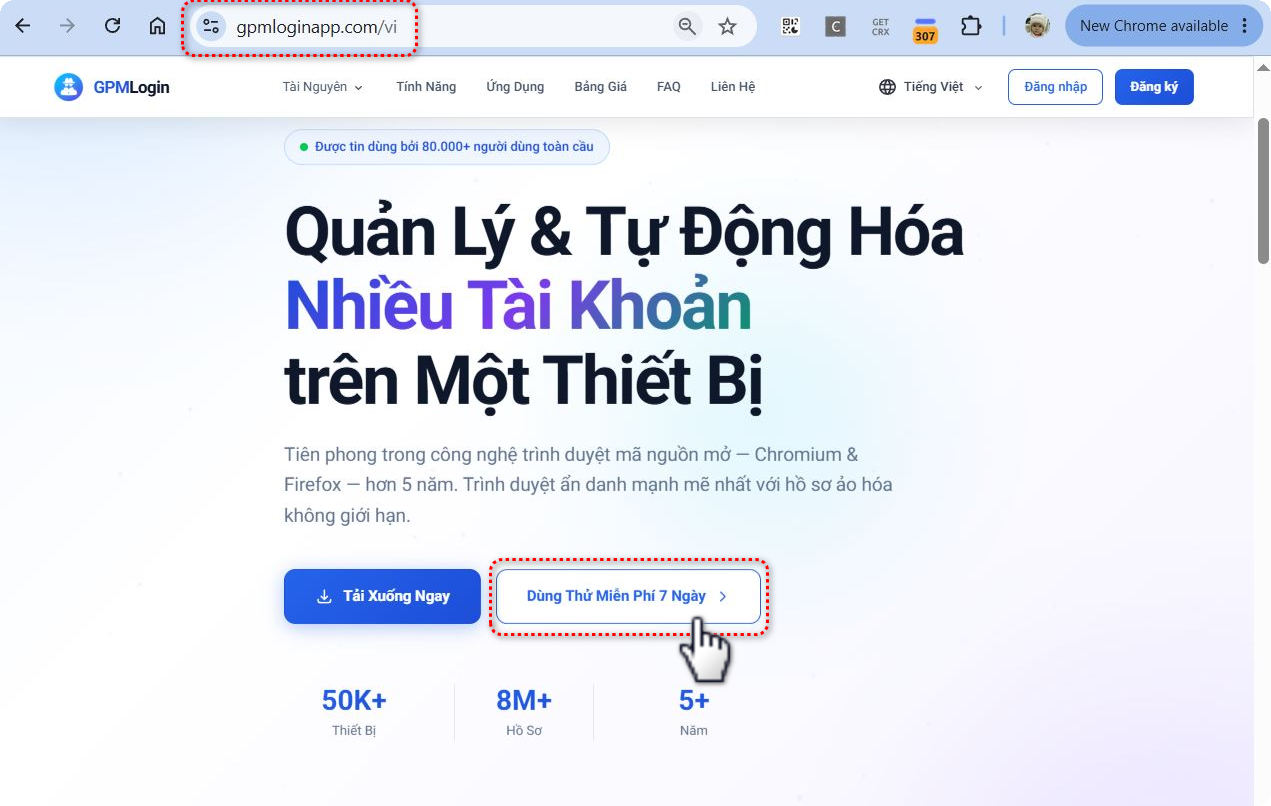
<summary>Bước 1: Truy cập website <a href="https://gpmloginapp.com/">https://gpmloginapp.com</a></summary>

</details>

<details open>

<summary>Bước 2: Bấm vào phần đăng ký dùng thử 7 ngày</summary>

<div data-with-frame="true"><figure><img src="https://1533656813-files.gitbook.io/~/files/v0/b/gitbook-x-prod.appspot.com/o/spaces%2FSIfDpIIyJt8xk7DhTr7p%2Fuploads%2FY1FsniNgZzoLdrEoEaXR%2F2.JPG?alt=media&amp;token=ccb3c8b9-01a3-4ed9-89c3-432fd2d87151" alt="" width="563"><figcaption></figcaption></figure></div>

</details>

<details open>

<summary>Bước 3: Tiền hành đăng ký tài khoản trên trang nếu chưa có tài khoản Sau đó nhập email vừa đăng ký vào và bấm <mark style="color:$danger;"><code>Nhận License miễn phí</code></mark></summary>

<div data-with-frame="true"><figure><img src="https://1533656813-files.gitbook.io/~/files/v0/b/gitbook-x-prod.appspot.com/o/spaces%2FSIfDpIIyJt8xk7DhTr7p%2Fuploads%2FPp1JRDgKE4yN3fwPGo5g%2F3.JPG?alt=media&amp;token=fe88dd57-9ffc-4d73-8b64-1fdceb5769e0" alt="" width="563"><figcaption></figcaption></figure></div>

Sau khi đăng ký xong, License dùng thử được cấp trên tài khoản của bạn trong phần License của tôi, bạn truy cập vào link bên dưới để lấy

{% embed url="<https://account.gpmsoftwares.com/licenses?page=1&pageSize=10&tab=active>" %}

</details>

<details open>

<summary>Bước 4: Tiền hành tải và cài đặt phần mềm, nhập mã License dùng thử theo hướng dẫn</summary>

Video hướng dẫn cài đặt nhập License dùng thử

{% embed url="<https://www.youtube.com/watch?v=ok17YJjv2wE&list=PLc1eKtVmj6Cw&index=1&pp=iAQB>" %}

</details>