> For the complete documentation index, see [llms.txt](https://help.gpmloginapp.com/llms.txt). Markdown versions of documentation pages are available by appending `.md` to page URLs; this page is available as [Markdown](https://help.gpmloginapp.com/huong-dan-s-dung-gpm-login-global/groups.md).
# Groups
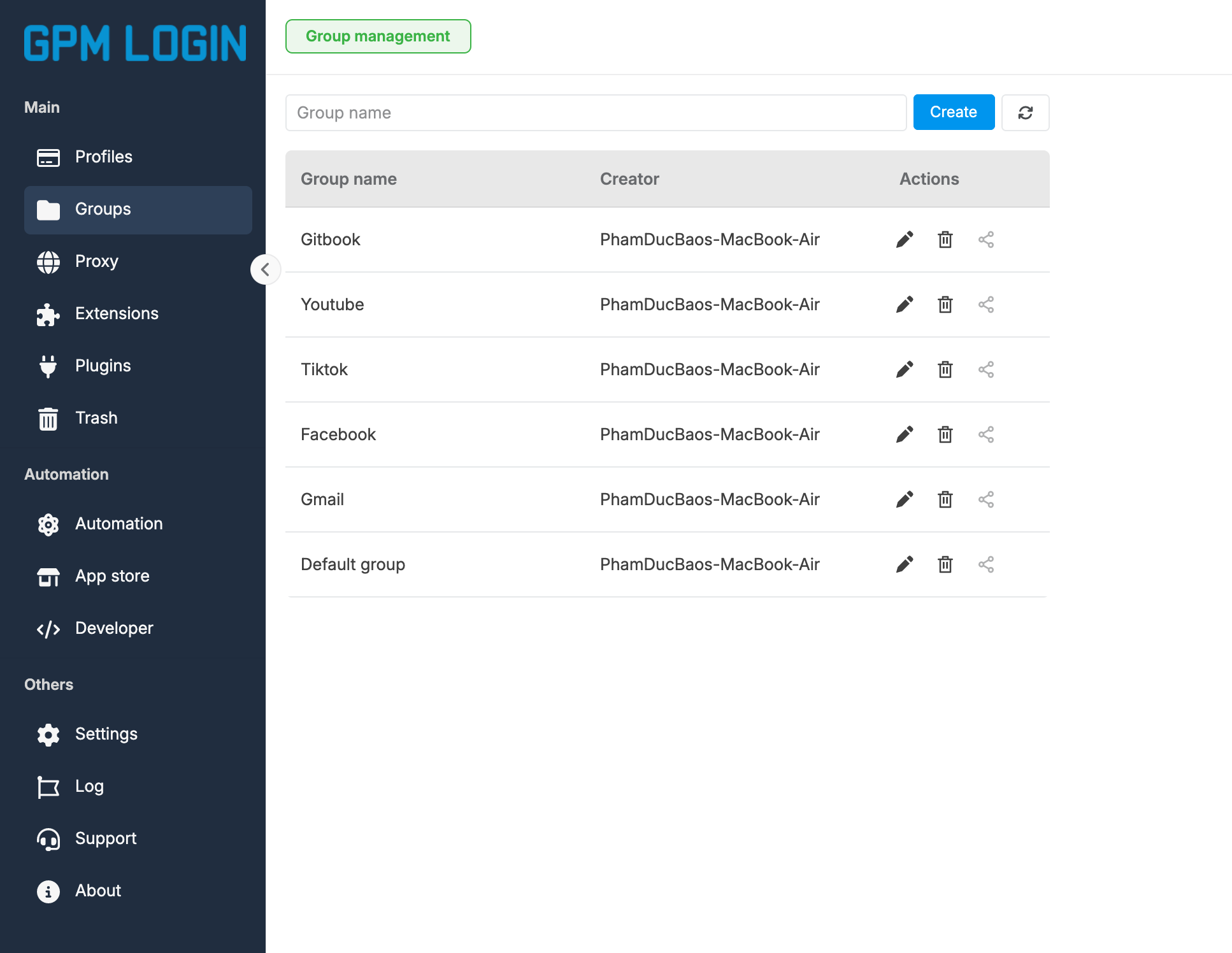
GPM Login cung cấp tính năng quản lý nhóm profile cho phép bạn tổ chức và quản lý profile một provides một cách dễ dàng.
{% hint style="success" %}
***GPMLogin tip:** Bạn cần hướng dẫn chi tiết*? *Xem video trên kênh chính thức của chúng tôi* [**YouTube Channe**](#user-content-fn-1)[^1]**l**
{% endhint %}
Tính năng quản lý nhóm giúp bạn phân loại, sắp xếp số lượng lớn Profile theo dự án, mục đích sử dụng hoặc nền tảng (Ví dụ: `Nhóm Nuôi Facebook`, `Nhóm TikTok US`, `Nhóm Crypto Drop`). Việc chia nhóm giúp tối ưu hóa không gian làm việc và giúp việc quản lý, tìm kiếm trở nên khoa học hơn.
Hệ thống hỗ trợ đầy đủ các thao tác: Thêm, Sửa, Xóa và phân bổ Profile vào từng nhóm riêng biệt.
### 1. Tạo mới nhóm Profile (Create Group)
### 2. Chỉnh sửa thông tin nhóm (Edit Group)
### 3. Xóa nhóm Profile (Delete Group)
> ⚠️ CẢNH BÁO QUAN TRỌNG KHI XÓA NHÓM: > Để đảm bảo an toàn cho dữ liệu, trước khi tiến hành xóa bất kỳ nhóm nào, bạn cần phải xử lý toàn bộ các Profile đang có bên trong nhóm đó.
>
> * Trường hợp không dùng đến các Profile cũ: Bạn phải tiến hành chọn và xóa hết các Profile đó trước.
> * Trường hợp muốn giữ lại Profile: Bạn phải thực hiện Di chuyển (Move) các Profile đó sang một nhóm khác (hoặc đưa về nhóm mặc định) trước khi xóa nhóm hiện tại để tránh việc thất lạc hoặc mất mát cấu hình Profile.
[^1]: