> For the complete documentation index, see [llms.txt](https://help.gpmloginapp.com/llms.txt). Markdown versions of documentation pages are available by appending `.md` to page URLs; this page is available as [Markdown](https://help.gpmloginapp.com/gpm-login-global-en/gpm-login-global-user-guide/automation.md).
# Automation
{% hint style="success" %}
***GPM Automate:*** We have prepared a complete set of instructional materials for your reference, from visual videos to in-depth documents.\
[**Youtube Channel**](https://www.youtube.com/playlist?list=PLpEwQxqRGbYnjNLxntBctWq4k4ksGv19F)\
[**Docs GPM Automate**](https://docs.gpmautomate.com/)\
[**For Example**](https://www.youtube.com/playlist?list=PLpEwQxqRGbYmP8j5ErJprvIHBsEluj1ZE) \
[**ChatbotGPT**](https://chatgpt.com/g/g-68ca66a06ba081919a2ab7e39cb3571c-gpm-automate-chatbot)
{% endhint %}
## 🔄 GPM Login's Automation Feature – Effectively automate multi-account operations
GPM Login is not only an antidetect browser software that helps manage hundreds of accounts with unique fingerprints, but it also integrates a powerful Automation feature. This allows users to automate the entire process of repetitive tasks on each profile – such as logging in, surfing the web, filling out forms, clicking on elements on the page, etc.
This feature is suitable for:
* Affiliate marketers who want to automatically log in and interact with multiple accounts across different platforms.
* Advertisers, dropshippers, and e-commerce professionals who need to perform bulk actions such as creating accounts, checking orders, or updating data.
* SEO experts or social media managers who want to increase engagement or simulate the natural behavior of real users on multiple profiles simultaneously.
#### ⚙️ GPM Automate Software – The automation scripting tool for GPM Login
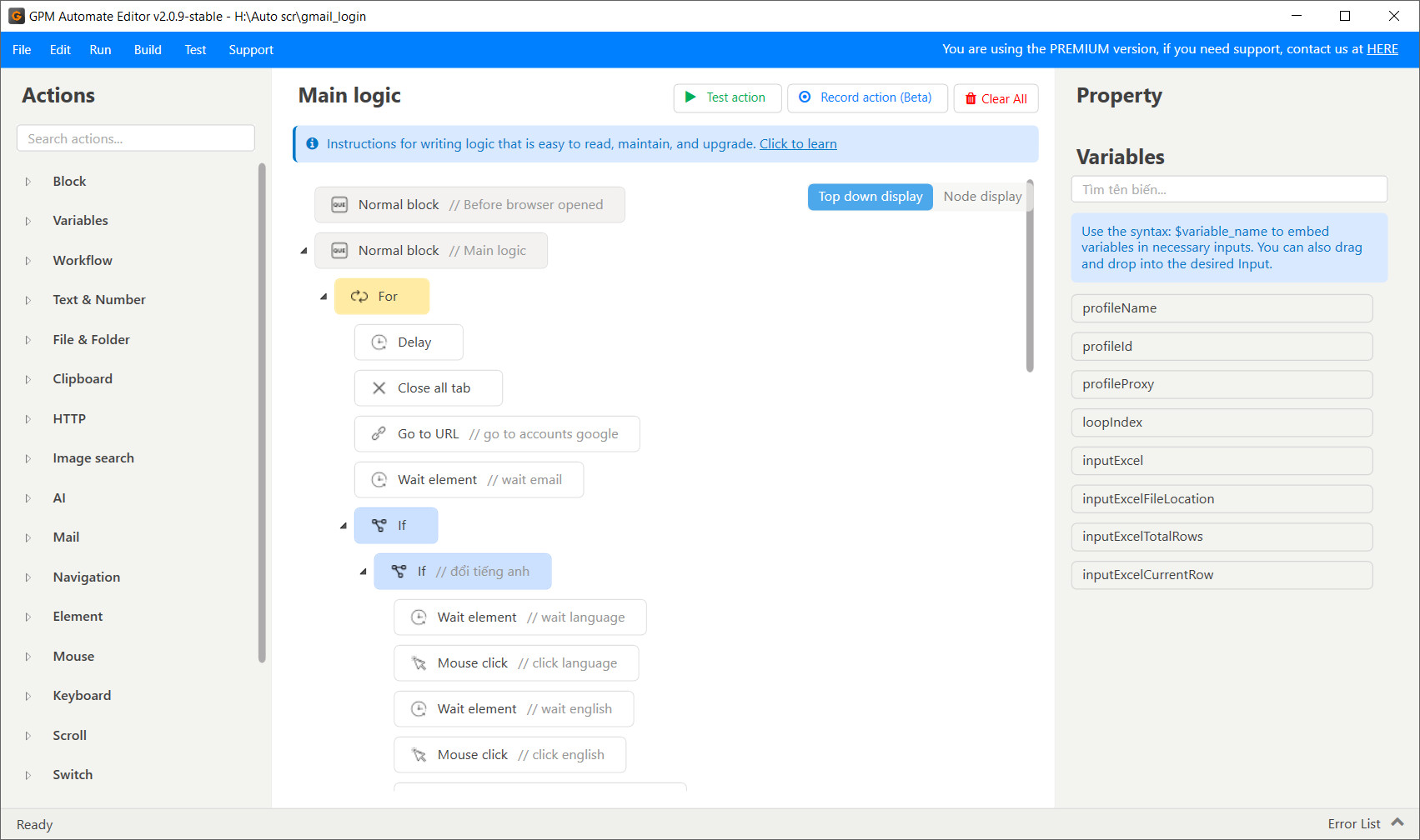
GPM Automate is a separately developed software aimed at writing, managing, and running automation scripts on the GPM Login platform. This tool helps you:
* Write scripts using GPM Script or use an extremely easy-to-use drag-and-drop interface.
* Execute step-by-step browser operations accurately, such as: opening tabs, filling out forms, clicking buttons, extracting HTML data, handling logical conditions, loops, etc.
* Run automation on multiple profiles simultaneously (in parallel or sequentially), helping to save significant time and manual effort.
* Manage logs, monitor running progress, and handle errors flexibly.
#### 🌟 Outstanding advantages of using Automation with GPM Login + GPM Automate
* Save time: Instead of having to manually process each account, you only need to write the script once and let it run automatically.
* Accuracy – No human errors: Automation ensures very high consistency.
* High customizability: Easily adjust behaviors to suit the needs of each campaign.
* Perfect integration with Proxies, Cookies, Unique Fingerprints: Create actions that look 100% like a real user.
#### 🧠 Practical applications
* You can set up automation flows for any field, any platform, for example, automating processes related to Facebook, TikTok, YouTube, Google, X (Twitter)...
* Automatically register accounts for Gmail, Facebook, TikTok, Amazon Seller, etc.
* Automatically post content, send messages, and interact with posts.
* Automatically crawl and process data from websites.
* Automatically fill out purchasing forms, submit orders, and track orders.